

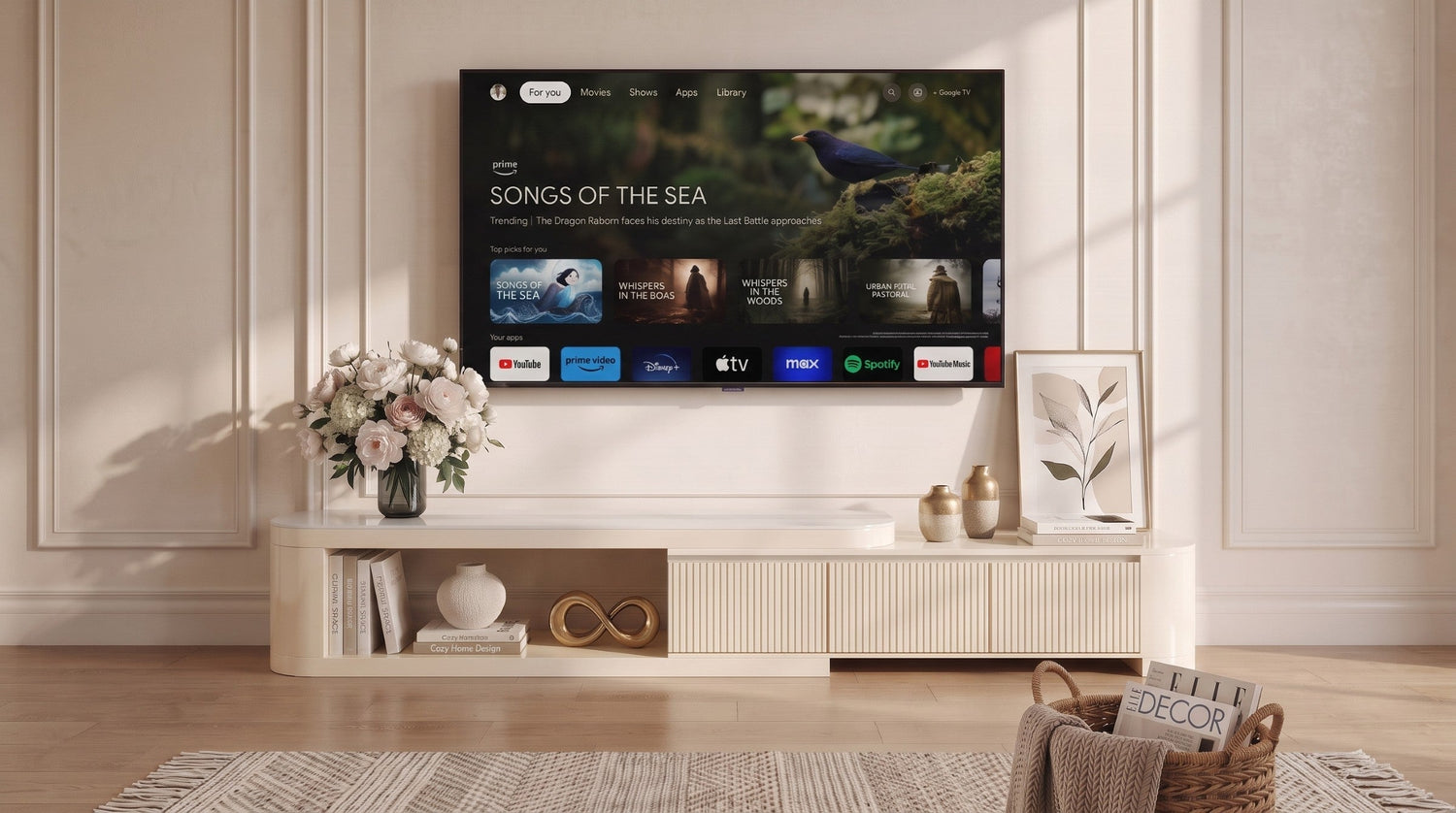
A TV stand has to do more than fill the space beneath a screen. It needs to support your television or visually anchor a wall-mounted display, provide useful storage, accommodate media equipment, and fit comfortably within the room.
The most important measurements are not always the ones shown most prominently on the television box. This guide explains how to compare your TV with a media console and avoid common sizing mistakes before ordering.
Start With the TV’s Actual Width
Television sizes such as 55 inches, 65 inches, or 75 inches refer to the diagonal measurement of the screen. They do not describe the television’s actual horizontal width.
Before selecting a TV stand, check the manufacturer’s specifications for:
- The complete width of the television.
- The distance between the television feet.
- The depth of the television feet or base.
- The total television weight.
- Any clearance requirements listed by the manufacturer.
These measurements are more important than the advertised diagonal screen size when deciding whether the television can safely fit on a stand.
TV Width and Console Starting Points
The following measurements are approximate starting points for common 16:9 televisions. Exact dimensions vary by brand, model, frame, base, and bezel thickness.
| TV Size | Approximate TV Width | Suggested Console Starting Range |
|---|---|---|
| 43 inches | About 38 inches | 44–55 inches |
| 50 inches | About 44 inches | 50–60 inches |
| 55 inches | About 48 inches | 54–66 inches |
| 65 inches | About 57 inches | 64–76 inches |
| 75 inches | About 65 inches | 72–84 inches |
| 85 inches | About 74 inches | 82–96 inches |
These ranges are visual and practical starting points, not substitutes for the specifications of your television or TV stand. Always confirm the usable top surface, weight capacity, base dimensions, and manufacturer instructions before placing a television on a console.
How Much Wider Should the TV Stand Be?
For many living rooms, a TV stand that is approximately 6–12 inches wider than the actual television body creates a balanced appearance. This usually leaves around 3–6 inches of visible space on each side.
You may prefer a wider console when:
- The television is mounted on a large wall.
- You want space for a soundbar or speakers.
- The room has a long sofa or sectional.
- You need additional enclosed storage.
- You want the television wall to feel more visually grounded.
In a narrow room, a console closer to the television’s width may fit better, but the TV feet and base must still sit completely on the usable surface.
Choose the Right TV Stand Height
Viewing comfort depends on the relationship between the television, TV stand, sofa, and seated eye level.
A useful measuring method is:
- Sit in your usual viewing position.
- Measure from the floor to your natural eye level.
- Measure the complete height of the television.
- Subtract half the television height from your seated eye-level measurement.
The result provides an approximate target for the height of the surface supporting the television. Adjustments may be needed depending on the television base, viewing distance, sofa height, and personal preference.
If the television is wall-mounted, the console height is less important for physical support, but it still affects visual proportion and access to storage or media equipment.
Check Depth, Weight Capacity, and Support
Width is only one part of choosing a TV stand. Before ordering, also confirm:
Usable Surface Depth
The complete television base or feet must fit on the usable top surface. Decorative edges, raised borders, curved ends, or recessed surfaces may reduce the area available for placement.
Weight Capacity
Compare the TV stand’s stated load capacity with the combined weight of the television, soundbar, speakers, media devices, and decorative objects placed on it.
Do not assume that a large console automatically supports every large television. Follow the product specifications and assembly or use instructions.
Support Points
Long consoles may use center legs, internal supports, floor-level bases, or other structural elements. Make sure all required supports are installed correctly and remain in contact with the appropriate floor surface.
Tip Restraints
Use the supplied anti-tip hardware or other appropriate restraints when provided or required. Follow the furniture and television manufacturers’ installation and safety instructions, particularly in homes with children or pets.
Plan for Storage and Cable Management
Consider what the TV stand needs to hold before choosing a configuration.
Common storage requirements include:
- Streaming devices and cable boxes.
- Game consoles and controllers.
- Soundbars, speakers, and audio equipment.
- Remote controls and charging accessories.
- Books, media, or living-room storage.
Open shelves provide easy access and ventilation, while doors and drawers can create a cleaner appearance. Check that enclosed spaces are large enough for the equipment and allow appropriate airflow.
Cable openings should align with the devices you plan to use. Also check the location of wall outlets before deciding where the console will sit.
Measure the Room and Delivery Route
A TV stand can fit the wall and still be difficult to deliver into the room. Measure both the final location and the complete delivery route.
Check:
- The available wall width.
- Walkways and door clearances.
- Doors, hallways, corners, and stairways.
- Elevator dimensions where applicable.
- The space required to open drawers and doors.
- The location of outlets, vents, windows, and baseboards.
You can use painter’s tape to mark the proposed width and depth on the floor or wall. This provides a clearer sense of scale than relying on measurements alone.
What About Extendable TV Stands?
An extendable or adjustable TV stand can accommodate different wall widths and room layouts. When considering one, review both its minimum and maximum dimensions.
Also confirm:
- The supported configuration range.
- Whether the load capacity changes when extended.
- The usable surface available in each configuration.
- How the sections connect or overlap.
- Whether the selected layout interferes with doors, drawers, or cable openings.
TV Stands for Wall-Mounted Televisions
A wall-mounted television does not physically depend on the console for support, but the console still helps define the proportions of the entertainment area.
A console that is slightly wider than the screen can visually anchor the display and provide storage without making the television appear isolated on the wall.
Leave enough space between the television and console for ventilation, cables, equipment, and comfortable visual separation.
Final TV Stand Checklist
Before placing an order, confirm:
- You measured the television’s actual width, not only its diagonal screen size.
- The television feet or base fit completely on the usable surface.
- The console supports the combined weight of all items placed on it.
- The height works with your seated viewing position.
- The depth fits both the television base and media equipment.
- The storage configuration matches your needs.
- The console fits the wall, room, and delivery route.
- You reviewed the product’s assembly and safety requirements.
Find a TV Stand for Your Space
Once you have confirmed your television and room measurements, explore the available sizes, materials, storage configurations, and extendable designs in the Timvorian TV Stand Collection.
Always review the individual product dimensions and specifications before ordering. If you have a product question, contact support@timvorian.com.


Leave a comment
This site is protected by hCaptcha and the hCaptcha Privacy Policy and Terms of Service apply.